

Manage Permissions on a Payment Template
Overview
Payment Templates come with granular permission controls
- CRUD Permissions: Control who can create, edit, or delete templates in general.
- Usage Permissions: Restrict which users or teams can view a specific template, edit or delete it, and use it in a Payment Order.
These permissions can be assigned at both a global level (all Templates) and a per-template level, allowing for flexibility in access control. Users without access to use a template will not see it in the Payment Order form.
Permission to create, view, edit, or delete Templates
- Users need explicit permissions to create, view, edit, or delete templates.
- Permissions apply to all templates by default, but constraints can be added for specific templates.
- Admins can assign permissions through the Roles and Permissions system.
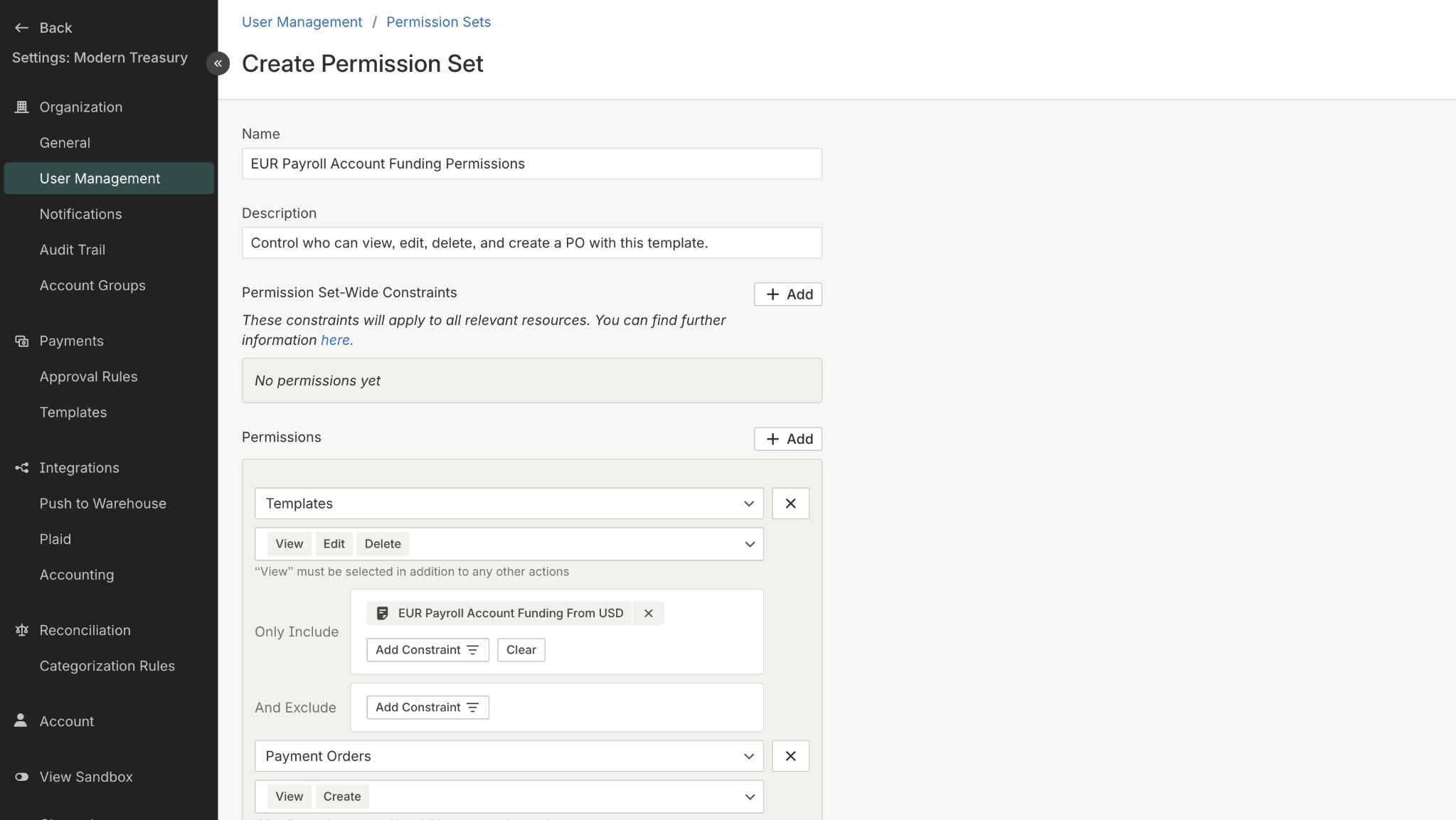
Permission to create, view, edit, or delete templates
Permission to use specific templates in a Payment Order
- This permission is set at the Payment Order resource level, where specific templates can be allowed or restricted.
- Example: The Treasury team may have access to all templates but only be allowed to use treasury-related ones in POs.
- If a user loses access to a template they previously used, they can no longer select it in new Payment Orders, but their existing Payment Orders remain unchanged.
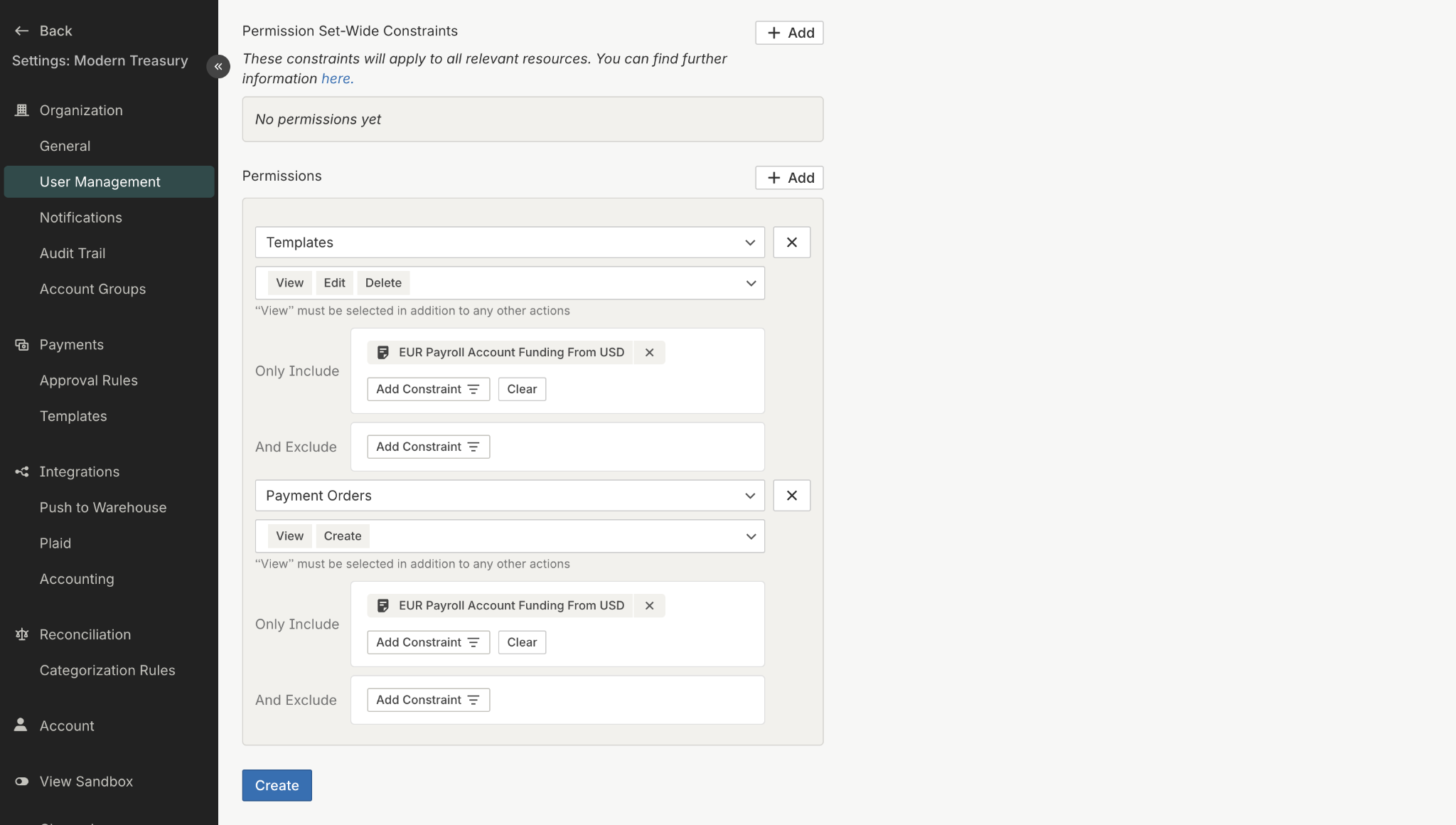
Permission to use specific templates in a Payment Order
Updated 12 months ago