

Creating an Approval Rule for External Accounts
Users in roles with Organization Manage and Review permissions are allowed to modify approval rules. You can configure approvals rules from the Settings page.
All rule modifications (e.g. rule creation, edit, and delete actions) are logged in the Audit Trail. If you modify a rule, only new payments and bank accounts will be affected.
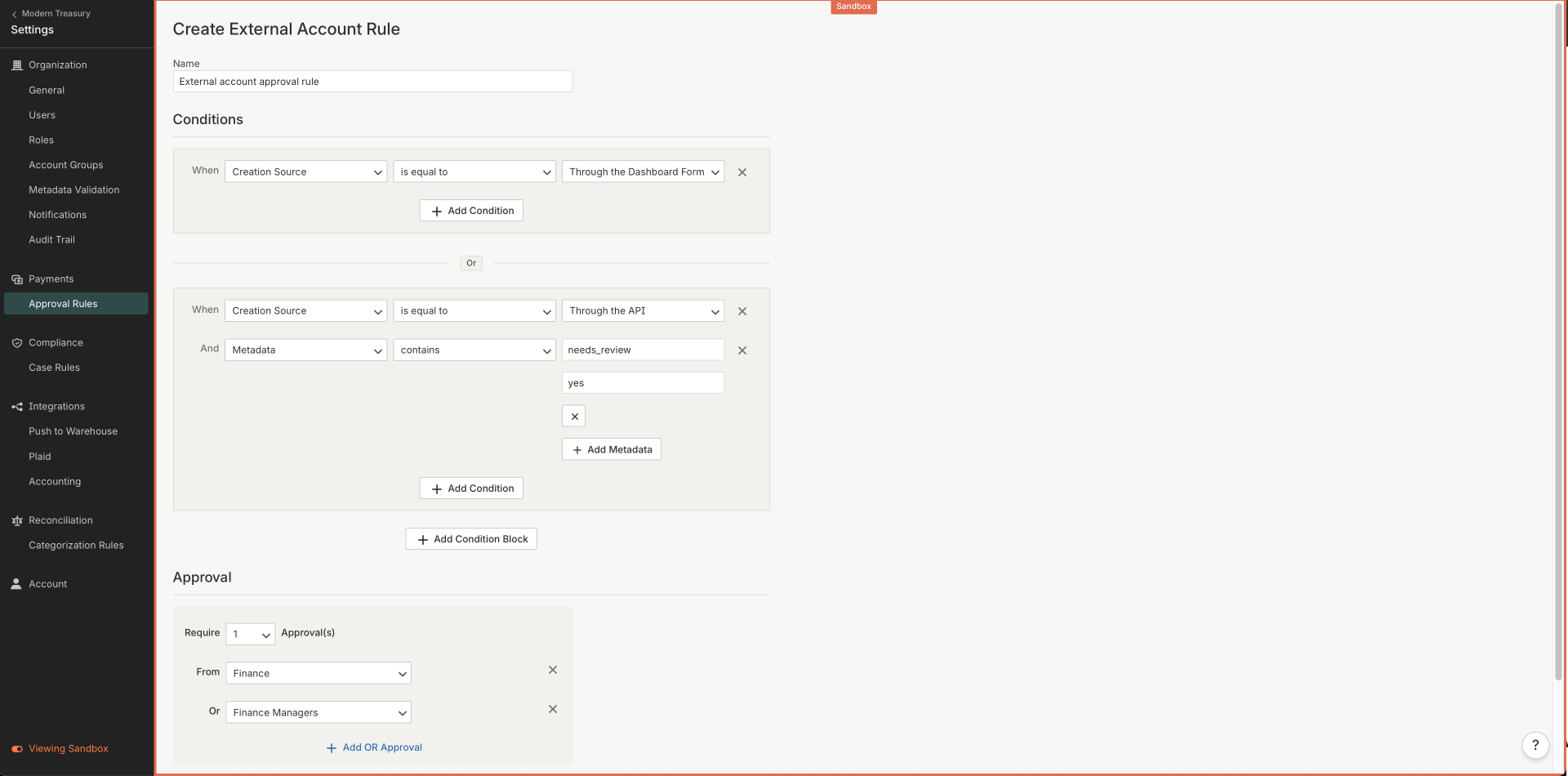
You can set up an approval rule to specify External Accounts that require human review. For example, you can set up a rule to review bank accounts that are created through the dashboard. A single approval rule consists of conditions and reviewers.
Conditions
Conditions describe what needs to be true for a review to be required.
You can create one or more conditions, grouped into condition blocks. Within a condition block, conditions are AND'd together. Between condition blocks, conditions are OR'd together.
Each condition is expressed as a field, operator, and value combination. Below are the conditions that can be specified for External Account approvals:
| Field | Operators | Values |
|---|---|---|
| Metadata | contains, does not contain | Key and value |
| Created By User | is one of, is not one of | A list of Users |
| Creation Source | is equal to, is not equal to | API, Counterparty invitation form, by a User manually, bulk import |
| Verified By | is equal to, is not equal to | Plaid |
Reviewers
Reviewers describe which Roles, and therefore which user, can take actions. You can specify one or more reviewers. For example, you can specify that you want two users with the Finance role to review. You can even specify conditional logic for reviewers, for example, that you want one user with either the Finance or Administrators Role to review.
Roles must have External Accounts View and Edit access in order to review External Account.
Updated 11 months ago