

Configuring automatic sweeps
Overview
Sweep Rules allow you to maintain target balances in your internal accounts by automatically creating payment orders when certain conditions are met.
It moves funds between two types of accounts:
- Target Balance Account: The account whose balance you
want to maintain at a specific level. - Supporting Account: The account that provides or receives funds to maintain the target balance.
Configuration
You can set up a sweep rule in the Modern Treasury dashboard. For each sweep rule, you'll need to specify:
- Target Balance Account: The account whose balance you
want to maintain - Supporting Account: The account that provides or receives funds
- Target Balance: The desired balance to maintain in the target balance account
- Payment Method: The payment type to use for transfers (ACH, Wire, Book Transfer, etc.)
- Sweep Type: The direction of the transfer (Top Up, Draw Down, or both)
- Schedule: Set the interval and frequency for how often the sweep rule should run. For example, setting an interval of "1" and frequency of "daily" would have the sweep rule run daily (every 1 day). Whereas, setting an interval of "3" and frequency of "weekly" would have the sweep rule run every 3 weeks. When selecting a frequency of weeks, you can choose on which day(s) to run the sweep rule.
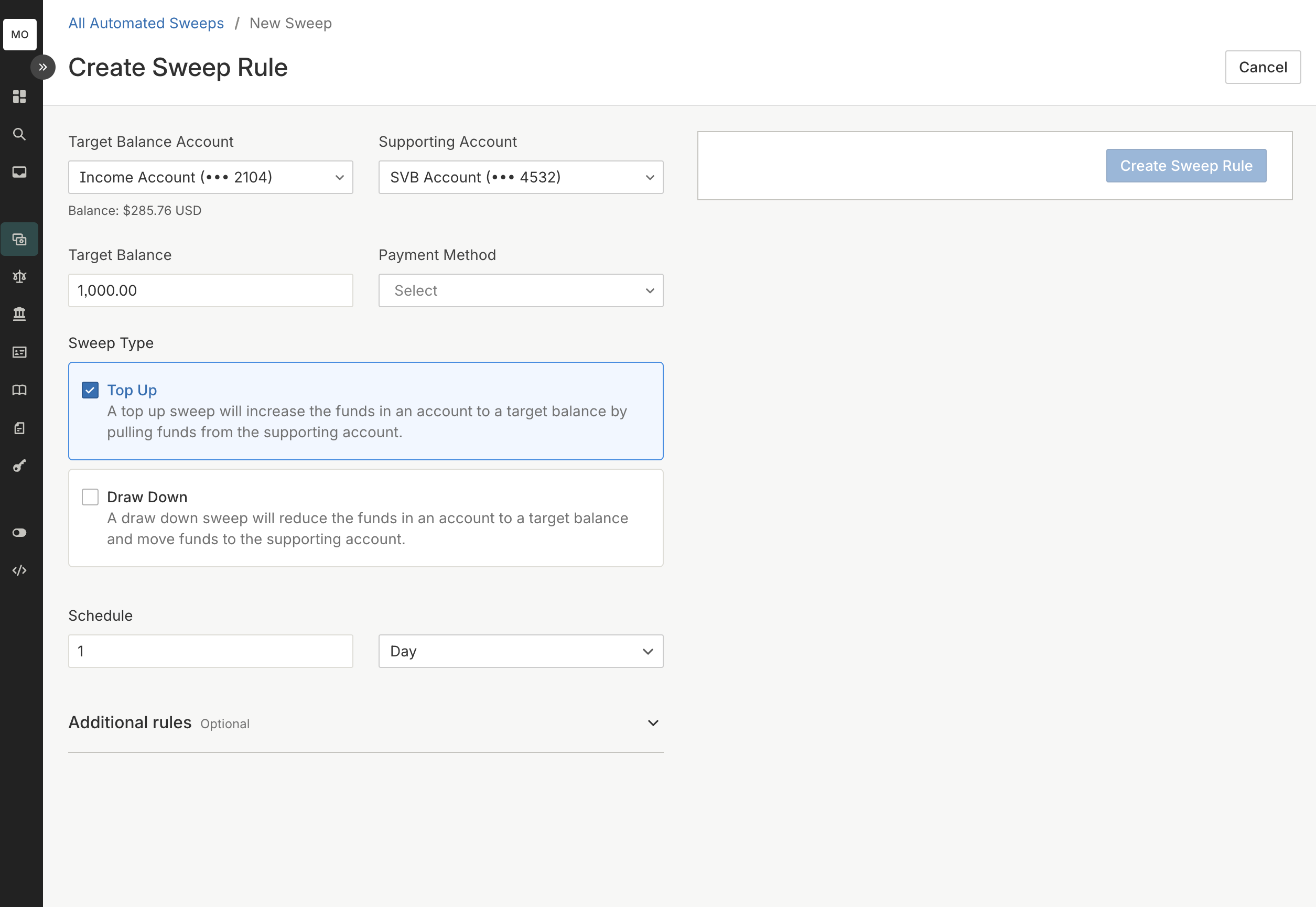
You can also include additional conditions such as minimum sweep amount, maximum sweep amount, or the description to be included in the bank statement for the payments.
Additional conditions
In addition to your configured conditions, a few additional conditions are verified to ensure sweep rules are safely moving money. A Payment Order will only be created if these additional conditions are satisfied:
- The balance data was updated recently, within 24 hours ago
- There are no other pending Payment Orders in progress for this rule
Updated 12 months ago