

Mark as Held
When you are notified by your bank of a hold placed on your Payment Order, you can follow these steps to mark the payment as held directly in the Application
Marking a payment as held has no impact on the processing of your payment. It is purely for reporting purposes in Modern Treasury.
How to Mark a Payment Order as Held
-
Login to Modern Treasury
-
Navigate to the Payments Overview page
-
Locate the Payment Order subject of the hold and open its details page
-
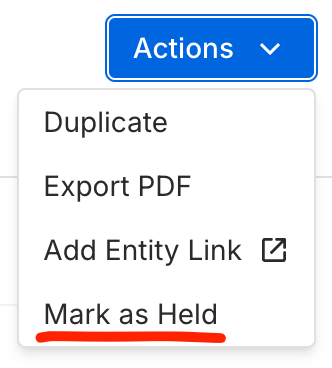
Open the Actions dropdown in top right
-
Select Mark as Held
-
Review Payment Order details
-
Specify a Reason for the hold (optional)
-
Confirm Mark as Held
Your Payment Order status will now show as held.
If an update to the status of your Payment Order is communicated by your bank to Modern Treasury, your Payment Order will be automatically transitioned away from held to the new status.
Updated 12 months ago