

Retrieving Account Statements
On the 3rd day of every month, an account statement for the prior month is generated for all PSP Modern Treasury accounts. The statements highlight account ownership, display routing details or wallet addresses, an overview of the month's activity, and information about the first thousand transactions for a given account.
In the MT App
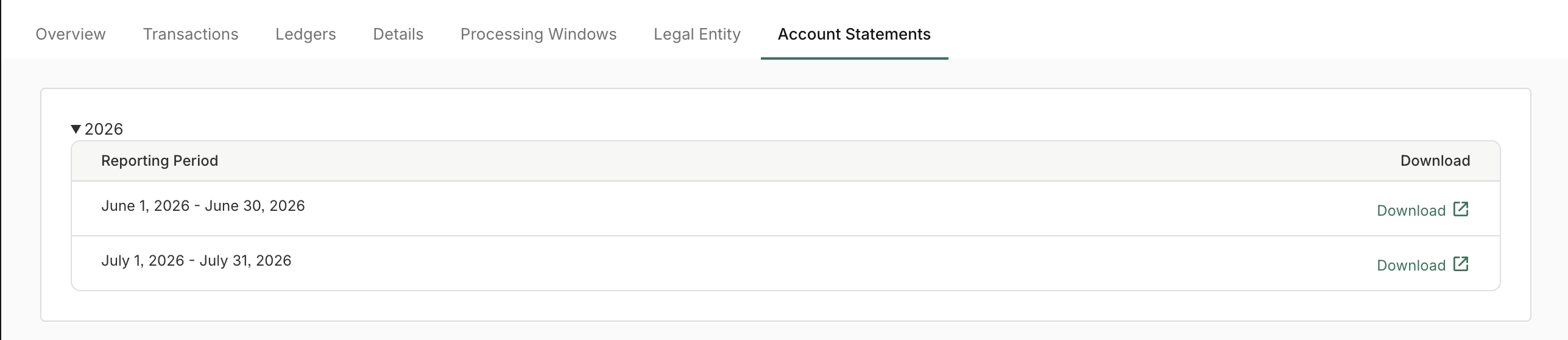
Account statements are visible on the Internal Account page in the "Account Statements" tab. From there, you'll be able to see all prior statements and download a PDF version.
Via API
When a statement is generated, Modern Treasury sends a document.created webhook. To retrieve the statement:
- Receive the
document.createdwebhook. Its payload includes a documentidwith the typestatement. - Pass that id to the GET Download Document endpoint to retrieve the document.
Sample document.created webhook:
{
  "id": "dde27ea8-9045-4291-adae-168903cd0179",
  "object": "document",
  "live_mode": true,
  "source": "modern_treasury",
  "document_type": "statement",
  "documentable_id": "1df01afa-7a17-410c-b3d0-30b2cd6989c1",
  "documentable_type": "internal_account",
  "file": {
    "size": 63700,
    "filename": "modern_treasury_corp_9d3601_2026_07_statement.pdf",
    "content_type": "application/pdf"
  },
  "document_details": [],
  "discarded_at": null,
  "created_at": "2026-08-14T17:08:29Z",
  "updated_at": "2026-08-14T17:08:29Z"
}
If you missed the webhook, you can find them using the List Documents endpoint, filtering on documentable type internal_account and documentable ID or on the document type statement.
To learn more about fetching documents, see the Documents API.
Updated 4 days ago