---
updatedAt: 2026-05-11T18:52:15.000Z
agentTools:
projectIndex: https://docs.moderntreasury.com/payments/llms.txt
---
# Defining Reconciliation Rules
**Reconciliation Rule Variables:** To use Reconciliation Rules, you'll need to [create Expected Payments](https://docs.moderntreasury.com/platform/reference/create-expected-payment) with `reconciliation_rule_variables`.
Reconciliation Rules help automate the reconciliation of Transactions and Expected Payments by defining matching logic.
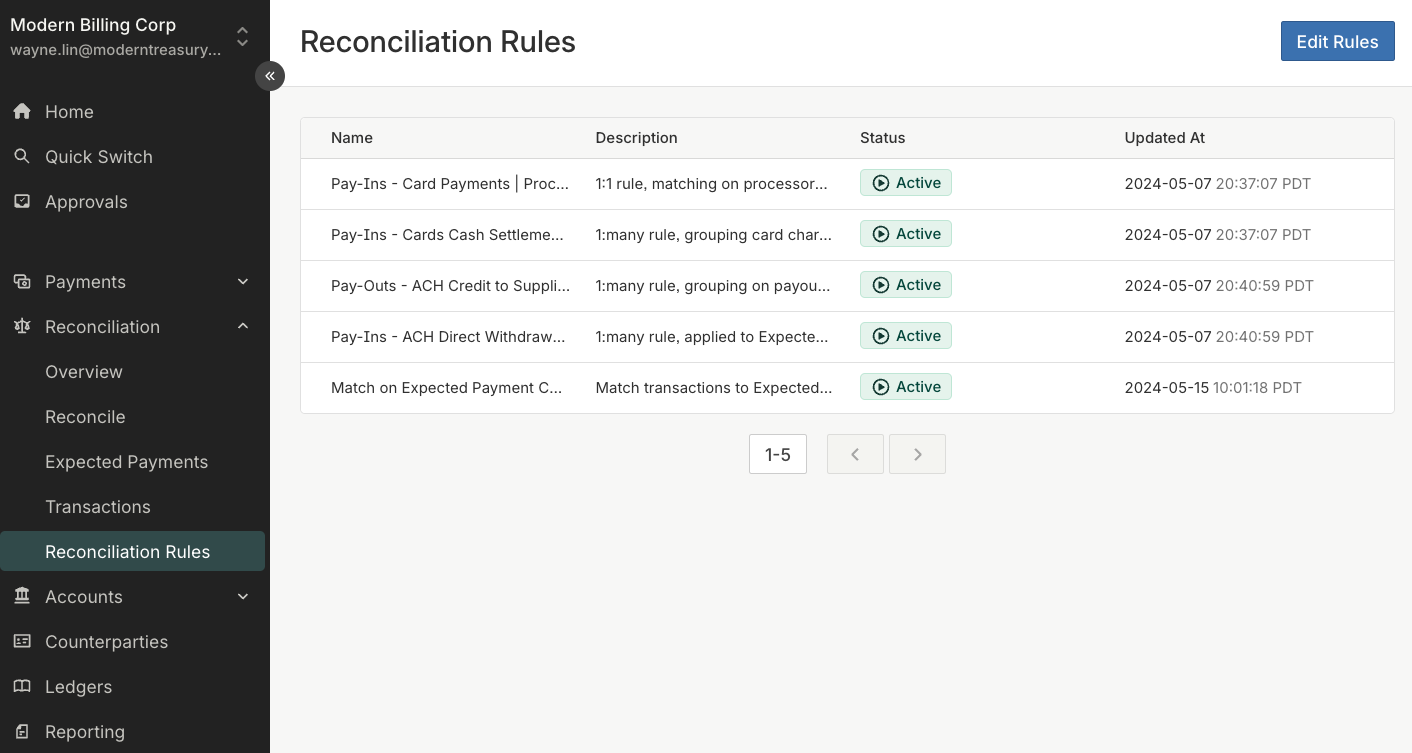
You can create one or more rules, likely using different rules per fund flow or bank partner. Rules are defined for your organization, and each can apply to one or more Internal Accounts.
Rules can be [managed in the dashboard](https://app.moderntreasury.com/reconciliation_rules) by Users in Roles with "Manage, Review, and Edit Access" permissions for "Accounts".
### Strategy
Modern Treasury supports the three common types of reconciliation strategies, described below.
| Option | Condition |
| ---------------------------------------------- | ---------------------------------------------------------------------------------------------------------------------------------------------------------------------------------------------------------------------------------------------------------------------------------------------------------------------------------------------------------------------------------------------------------------------------------------------------------------------------------------------------------------------------------------------------------------------------------------------------------------------------------------------------------------------------------------------------------------------------------------------------------------------------------------------------------------------------------------------------------------------------------------------------------------------------------------------------------------------------------------------------------------- |
| **One Transaction and One Expected Payment** | **The amount of a Transaction must equal the amount of a single Expected Payment to reconcile.**
For example, a $100 Transaction reconciles to a $100 Expected Payment. |
| **One Transaction and Many Expected Payments** | **The amount of a Transaction must equal the sum of the amount of a group of Expected Payments to reconcile.**
This strategy is commonly used to reconcile payments that settle as a batch, such as ACH or credit card payments.
For example, a $100 Transaction reconciles to a group of three Expected Payments with amounts of $10, $20, $70.
To use this Strategy, you will also need to specify how to group the Expected Payments. All Expected Payments in the group must have already been created at the time of evaluation.
To be eligible for this strategy:
• The Expected Payment must not have an amount range. |
| **Many Transactions and One Expected Payment** | **The sum of the amounts of multiple Transactions must equal the amount of a Expected Payment for the Expected Payment to be reconciled.**
This strategy is commonly used to reconcile payments that settle as multiple transactions over a period of time, such as with payment installments.
For example, you receive a $25 Transaction each week for four weeks. All four of these Transactions reconciles to an Expected Payment with an amount of $100.
As soon as the first Transaction is linked to the Expected Payment, the Expected Payment will become `partially_reconciled`.
To be eligible for this strategy:
• The Expected Payment must have a set date range
• The matching Transaction must have occurred within that date range (i.e., Transaction `as_of_date` is between Expected Payment date range)
• The matching Transaction amount must be less than or equal to the remaining unreconciled amount on the Expected Payment. |
Expected Payments can be `partially_reconciled`
An Expected Payment is `partially_reconciled` if the sum of the amount(s) of its reconciled Transaction(s) is _less than_ the amount of the Expected Payment. It becomes `reconciled` once the sum of the amounts of its reconciled Transactions equals its amount.
Rules with the _many Transactions and one Expected Payment_ strategy will automatically set and transition Expected Payments from `partially_reconciled` to `reconciled` as it matches all its Transactions.
For example, a $100 Expected Payment becomes `partially_reconciled` when its first matching $25 Transaction is reconciled. It becomes `reconciled` once the fourth $25 is reconciled to total $100 of Transactions.
### Conditions
Conditions describe what needs to be true for Transaction(s) and Expected Payment(s) to reconcile.
You can create one or more conditions, grouped into condition blocks. Conditions and condition blocks can be combined using AND or OR.
Each condition is expressed as a field, operator, and value combination.
| Type | Description |
| ------------ | ---------------------------------------------------------------------------------------------------------------------------------------------------------------------------------------------- |
| **Field** | Valid parameters of Transactions or Expected Payments ([see full list](https://docs.moderntreasury.com/payments/docs/valid-conditions-for-reconciliation-rules)).
For example, Expected Payment Start Date, Transaction Type. |
| **Operator** | How the field and value will be compared. The available operators depends on the field chosen.
For example, equals, greater than, contains. |
| **Value** | Valid parameters of a Transaction or Expected Payment ([see full list](https://docs.moderntreasury.com/payments/docs/valid-conditions-for-reconciliation-rules)).
Or a fixed value such as a number, date, string. |
**Example 1: Condition with fixed value**
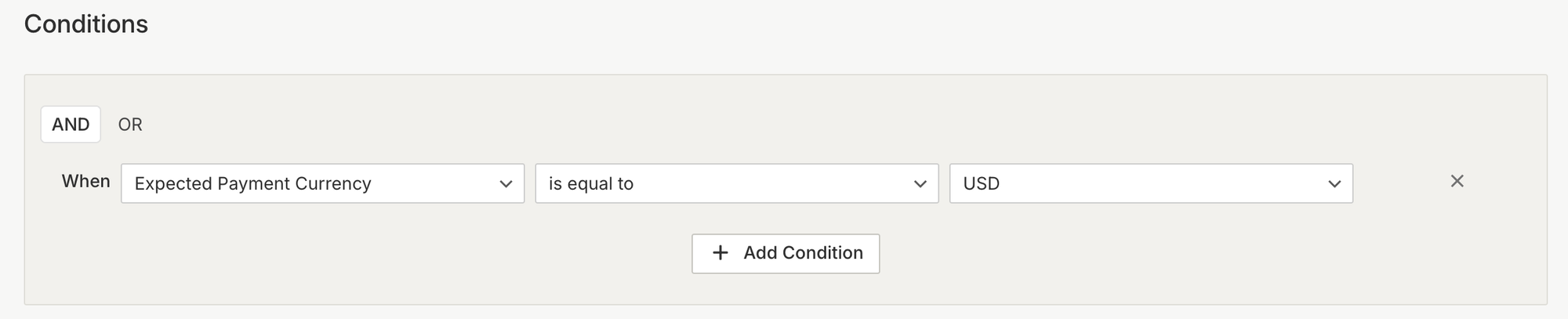
This means that this Reconciliation Rule will only apply to Expected Payments that are USD currency.
**Example 2: Condition comparing data parameters**
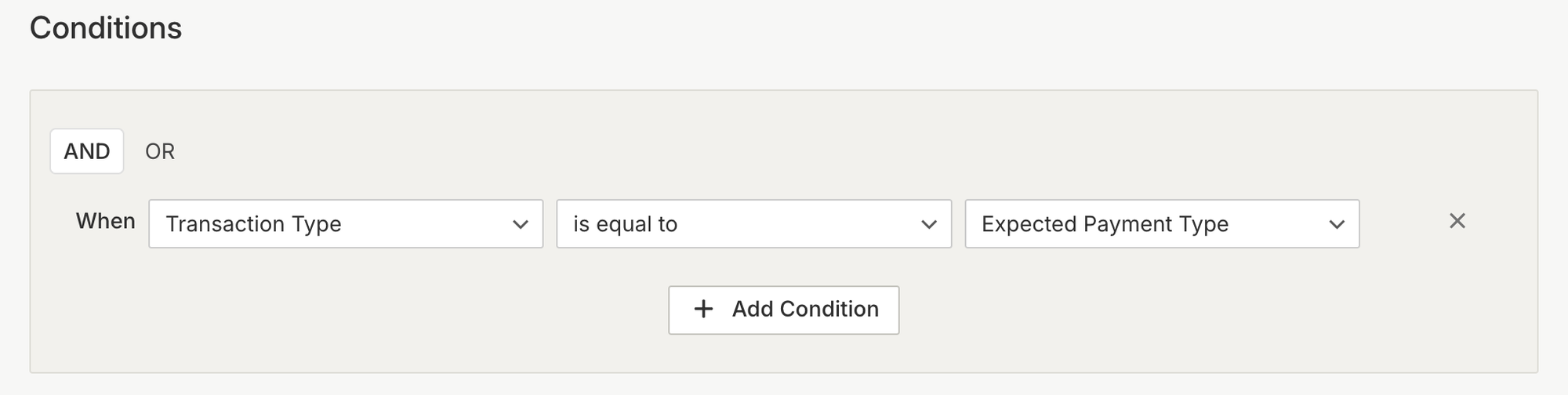
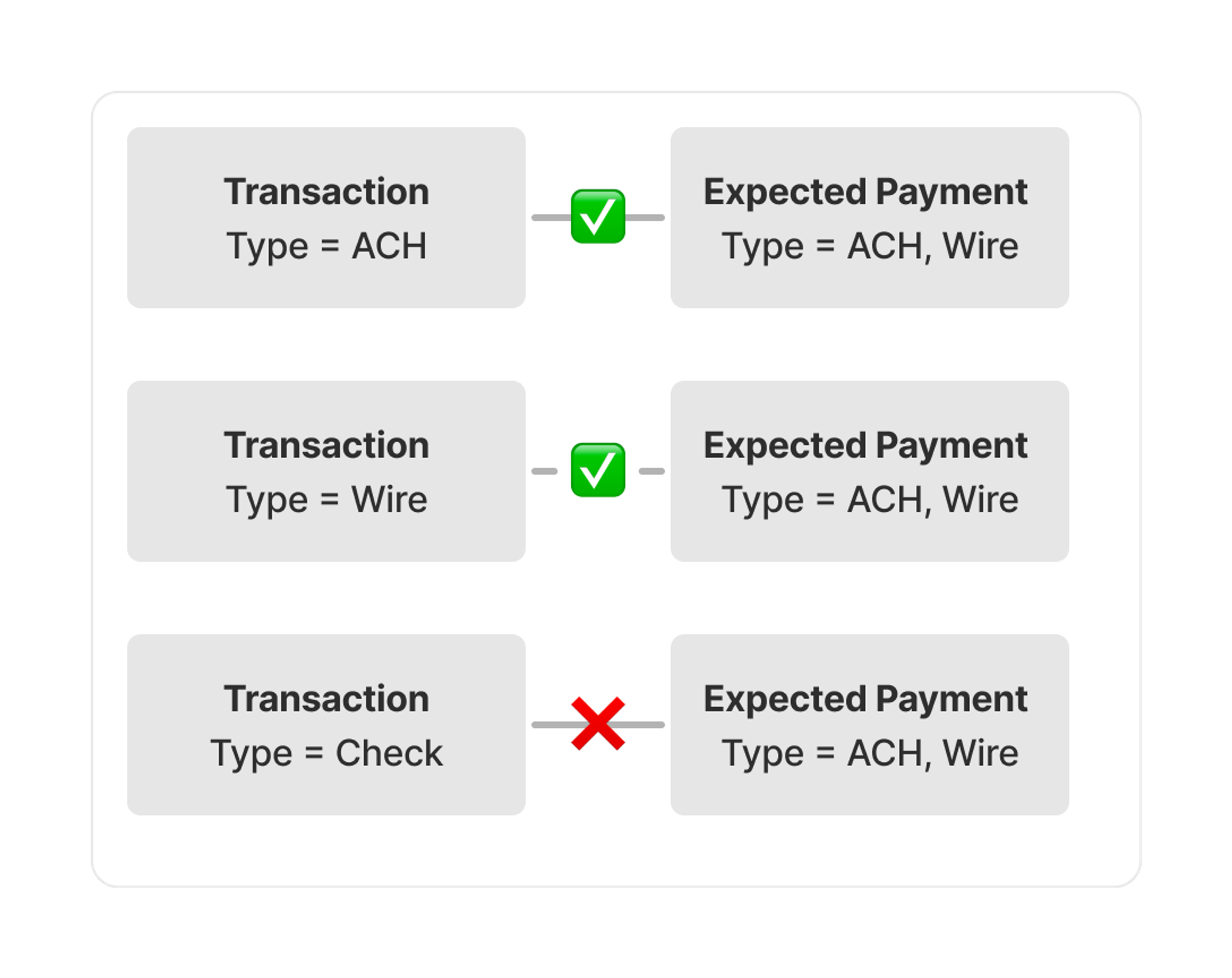
This means that to reconcile, the Transaction payment type must be equal to the Expected Payment payment type.
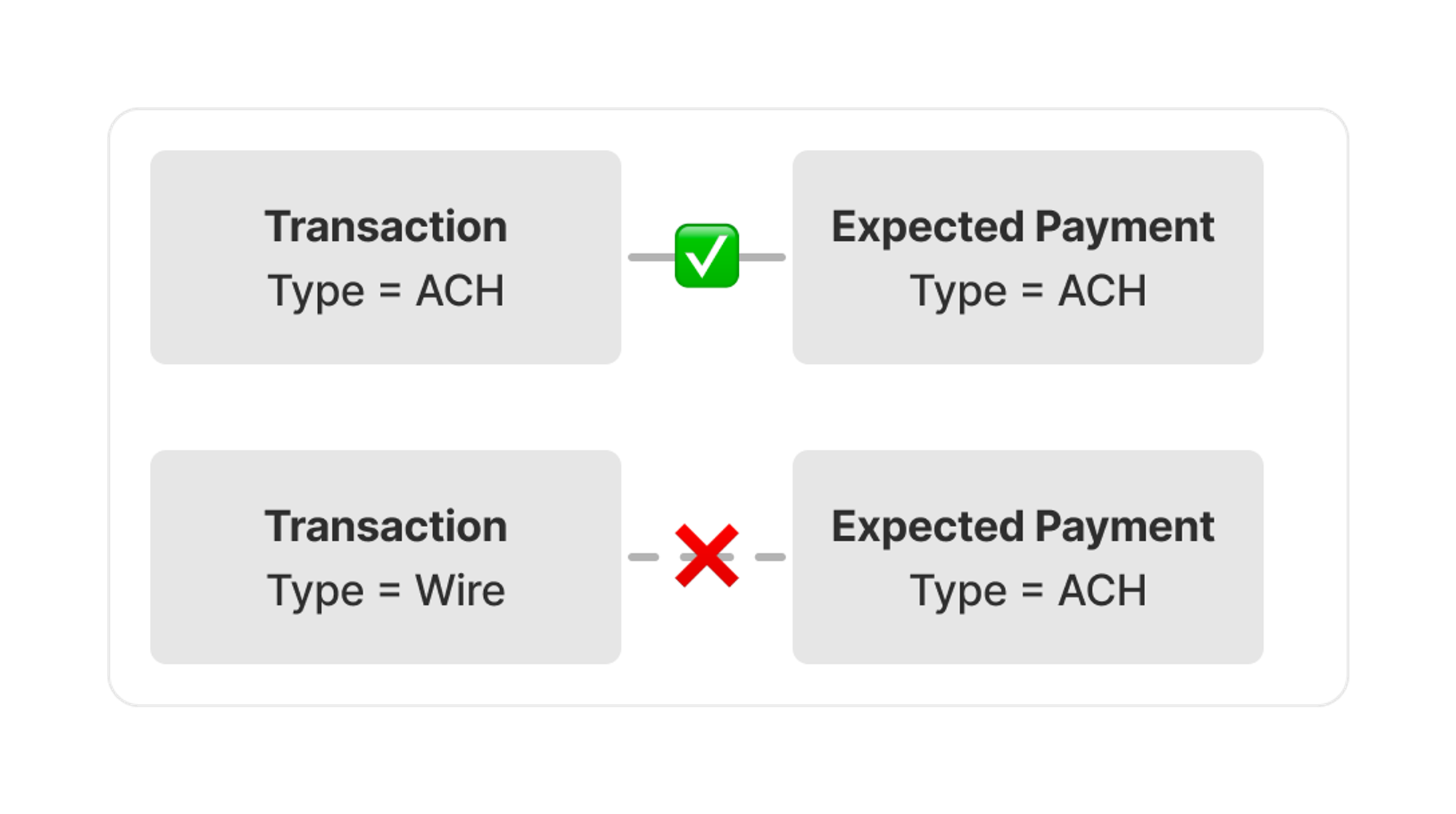 Expected Payments parameters are expressed as an array using `reconciliation_rule_variables` to handle variability and uncertainty of payments ([see API reference](https://docs.moderntreasury.com/platform/reference/create-expected-payment)). So it is possible to match on multiple values.
 #### Custom Identifiers
You can use specific remittance information for reconciliation such as an invoice number, counterparty name or reference number.
First, add the remittance information as `custom_identifiers` when creating Expected Payments using the `reconciliation_rule_variables` array ([see API reference](https://docs.moderntreasury.com/platform/reference/create-expected-payment)).
Then, when creating the reconciliation rule condition, reference the *Expected Payment Custom Identifier* as a field or value.
For each Expected Payment, you can specify up to 20 `reconciliation_rule_variables`, each of which can have up to 50 `custom_identifiers`, and each `custom_identifier` has a 100 character limit.
It is recommended that you also include the data from `custom_identifiers` as `metadata` to support easy searching and filtering in the dashboard and API.
### Priority
Rules are evaluated sequentially, starting with the first rule and finishing with the last rule.
It is important to order rules deliberately because the ordering affects reconciliation results. Typically it is best to have very specific rules that are unlikely to result in matching errors as your highest priority rules. For example, a rule that matches based on a unique identifier such as an invoice number. You can create broader rules that are more likely to have errors to help catch exceptions. For example, a rule that matches based on date and amount.
You can drag and drop a rule to change it's priority.
### Automatic Deactivation of Unused Rules
To ensure optimal reconciliation performance, Modern Treasury automatically deactivates reconciliation rules that have not produced any matches for over 90 days. This helps keep your rule set current and prevents outdated or unnecessary rules from impacting processing efficiency.
When a rule is automatically deactivated:
* The rule will be marked as **inactive** and will no longer be evaluated during reconciliation.
* You will not lose the rule's configuration. Deactivated rules can be reviewed and reactivated at any time from the [Reconciliation Rules dashboard](https://app.moderntreasury.com/reconciliation_rules).
* Any previously reconciled Transactions and Expected Payments matched by the rule are unaffected.
We recommend periodically reviewing your reconciliation rules to ensure they reflect your current fund flows and bank partner configurations. If a rule is deactivated unexpectedly, verify that the Expected Payments referencing that rule are still being created with the appropriate `reconciliation_rule_variables`.
#### Custom Identifiers
You can use specific remittance information for reconciliation such as an invoice number, counterparty name or reference number.
First, add the remittance information as `custom_identifiers` when creating Expected Payments using the `reconciliation_rule_variables` array ([see API reference](https://docs.moderntreasury.com/platform/reference/create-expected-payment)).
Then, when creating the reconciliation rule condition, reference the *Expected Payment Custom Identifier* as a field or value.
For each Expected Payment, you can specify up to 20 `reconciliation_rule_variables`, each of which can have up to 50 `custom_identifiers`, and each `custom_identifier` has a 100 character limit.
It is recommended that you also include the data from `custom_identifiers` as `metadata` to support easy searching and filtering in the dashboard and API.
### Priority
Rules are evaluated sequentially, starting with the first rule and finishing with the last rule.
It is important to order rules deliberately because the ordering affects reconciliation results. Typically it is best to have very specific rules that are unlikely to result in matching errors as your highest priority rules. For example, a rule that matches based on a unique identifier such as an invoice number. You can create broader rules that are more likely to have errors to help catch exceptions. For example, a rule that matches based on date and amount.
You can drag and drop a rule to change it's priority.
### Automatic Deactivation of Unused Rules
To ensure optimal reconciliation performance, Modern Treasury automatically deactivates reconciliation rules that have not produced any matches for over 90 days. This helps keep your rule set current and prevents outdated or unnecessary rules from impacting processing efficiency.
When a rule is automatically deactivated:
* The rule will be marked as **inactive** and will no longer be evaluated during reconciliation.
* You will not lose the rule's configuration. Deactivated rules can be reviewed and reactivated at any time from the [Reconciliation Rules dashboard](https://app.moderntreasury.com/reconciliation_rules).
* Any previously reconciled Transactions and Expected Payments matched by the rule are unaffected.
We recommend periodically reviewing your reconciliation rules to ensure they reflect your current fund flows and bank partner configurations. If a rule is deactivated unexpectedly, verify that the Expected Payments referencing that rule are still being created with the appropriate `reconciliation_rule_variables`.